Creating and Configuring Webhooks
How to Create a New Webhook
Webhooks are created and configured in the Merchant Dashboard.
Local Development
If you are still locally developing the integration on a local development environment, you can utilise service such as beeceptor.com and localhost.run and then put the URL to the Webhook URL into the Merchant Dashboard.
Log in to your Merchant Dashboard account. Navigate to our merchant dashboard and log in using your credentials.
-
Click on the "Webhooks" tab. The "Webhooks" tab is located in the left-hand navigation menu.
-
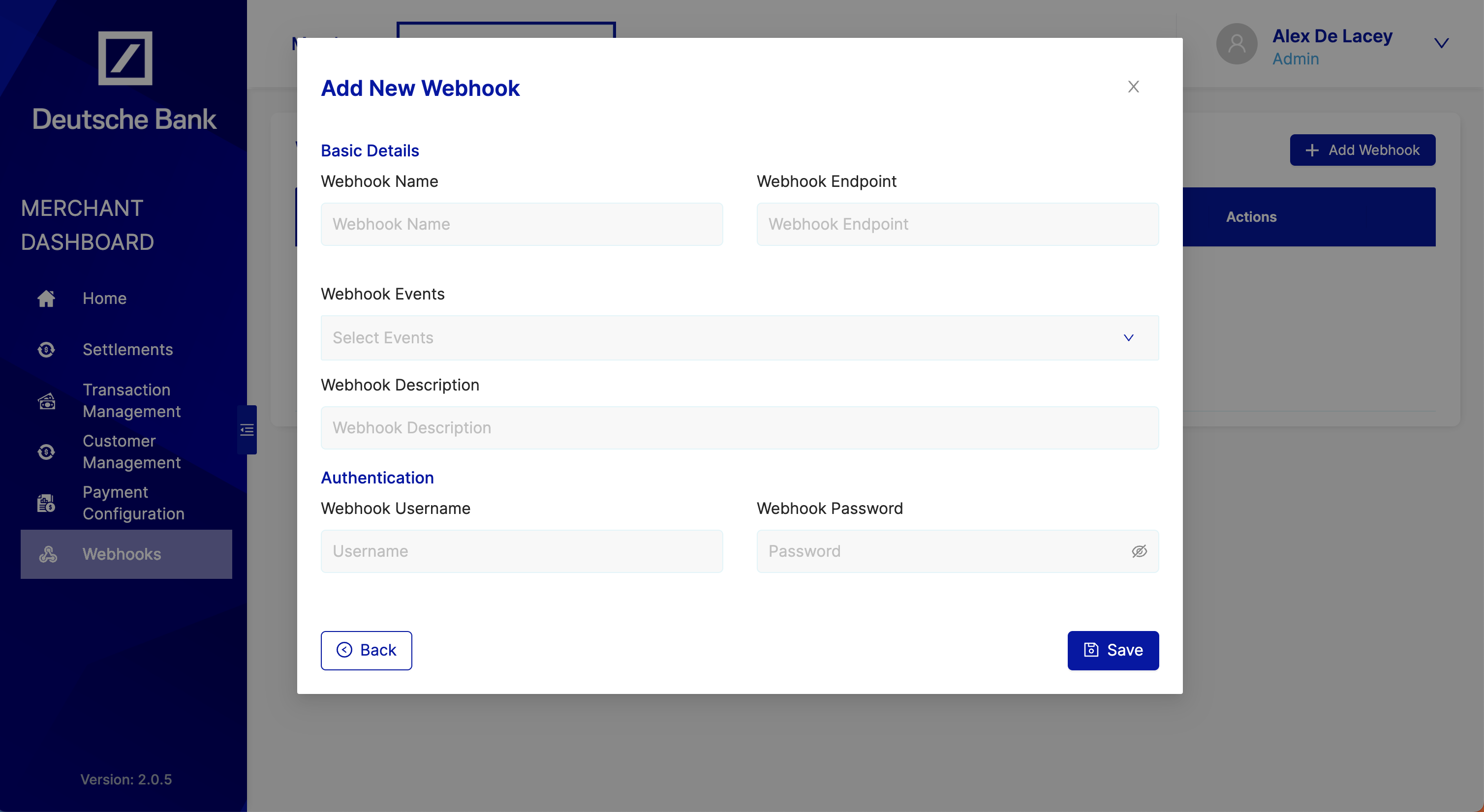
Click on the "Create Webhook" button The "Create Webhook" button is located in the top-right corner of the page.
-
Select the webhook type Choose the type of webhook notifications you want to subscribe to
-
Enter the mandatory fields:
- Webhook Event: The event types that you want to subscribe to.
- Webhook Endpoint: The URL that you want to use as your webhook endpoint.
- Webhook Authentication Credentials: Credentials that will be used to verify webhook notifications.
-
Click on the "Save" button. Once you have entered all of the required information, click on the "Save" button to create your new webhook.
-
Manage your webhooks. You can manage your webhooks by clicking on the "Webhooks" tab. From here, you can view a list of all of your webhooks, edit your webhook subscriptions, and delete your webhooks.
How to Accept a Webhook
When we deliver a webhook event to your server:
- Verify the authentication credentials included in the webhook event header. If the credentials are incorrect, you should not acknowledge the webhook event.
- Store the webhook event in your database for future reference and processing. Use the timestamp field to determine which is the latest update to a webhook.
- Acknowledge the webhook event with an HTTP 200 response. There is no need to respond with any special Body or headers so we recommend not to, only the HTTP status is checked. If your endpoint does not respond within 20 seconds or responds with any status != 200 then we consider the webhook has having failed to be delivered. Acknowledge first and process afterwards — if your processing is slow, do it asynchronously so the acknowledgement is not delayed past the 20-second window.
- Handle duplicates idempotently. Because delivery is retried until acknowledged, your endpoint can receive the same event more than once — for example when a prior attempt succeeded but the acknowledgement timed out. Each delivery carries a unique
id; use it (or the combination ofcharge_idandcharge_status.status) to detect and skip events you have already processed.